 SG Finance Tracker
Everything you need to know
From first setup to FIRE dashboard — step-by-step guides for every feature.
Expense Templates 3 free · 10 Plus · 30 Pro
One-tap logging for expenses you repeat daily.
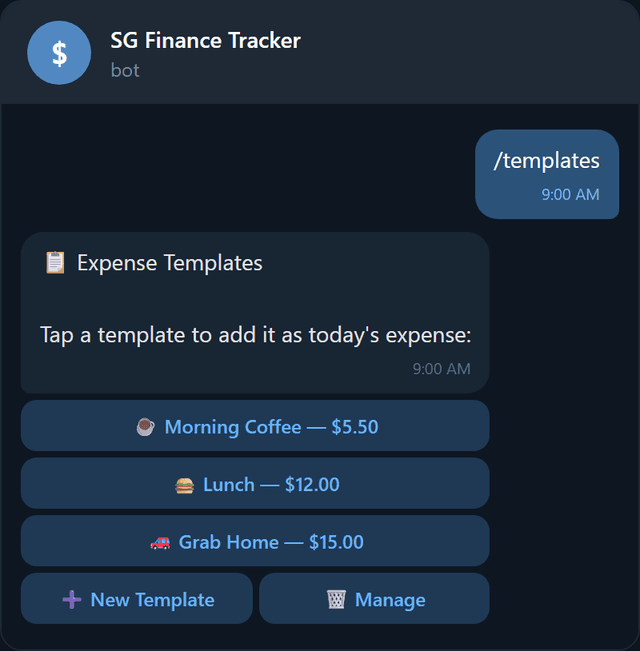
Send /templates to save frequent expenses and add them with a single tap. Perfect for daily coffee, weekly groceries, or any expense you log regularly.
Creating a template
- 1Tap New Template.
- 2Enter a name (e.g., "Morning Coffee") — max 100 characters.
- 3Enter the amount (e.g., 5.50).
- 4Pick a category.
- 5Pick a payment method.
- 6Done — your template appears in the list.
Using a template
Tap any template button to instantly log it as today's expense. No typing, no category selection — one tap and done.
Recurring Transactions 1 free · 5 Plus · 20 Pro
Auto-log subscriptions, rent, and bills.
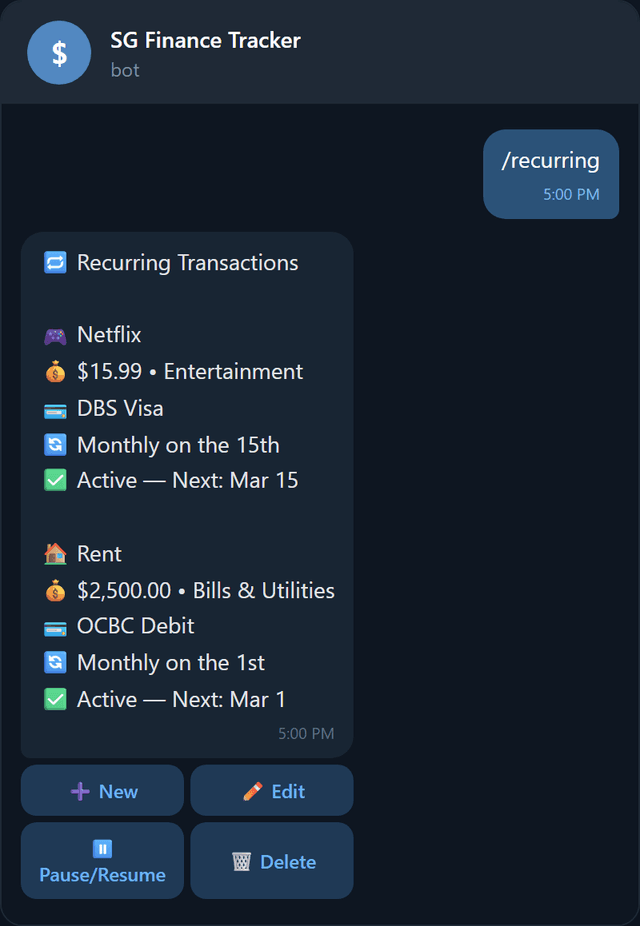
Send /recurring to set up expenses that repeat automatically — subscriptions, rent, insurance, gym membership, etc. The bot logs them for you on the scheduled date.
Setting up
- 1Tap New.
- 2Enter a name and amount.
- 3Pick category and payment method.
- 4Choose frequency:
- Daily / Weekly / Monthly / Yearly
- 5Done — auto-logged on schedule.
Managing
Edit to change details, Pause/Resume to temporarily stop, or Delete to remove.
Monthly Reports Plus & Pro
Mid-month and end-of-month spending breakdowns.
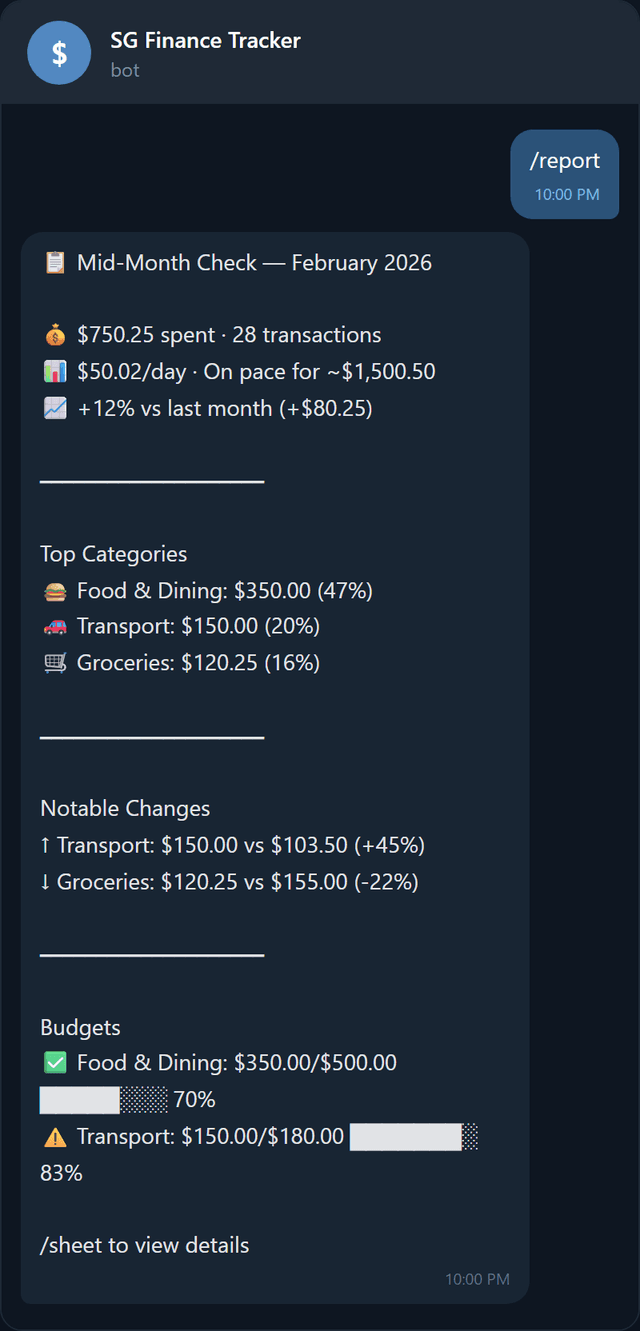
Send /report to get a detailed spending report with month-over-month comparisons. The bot also sends these automatically on the 15th (mid-month) and last day of each month if enabled.
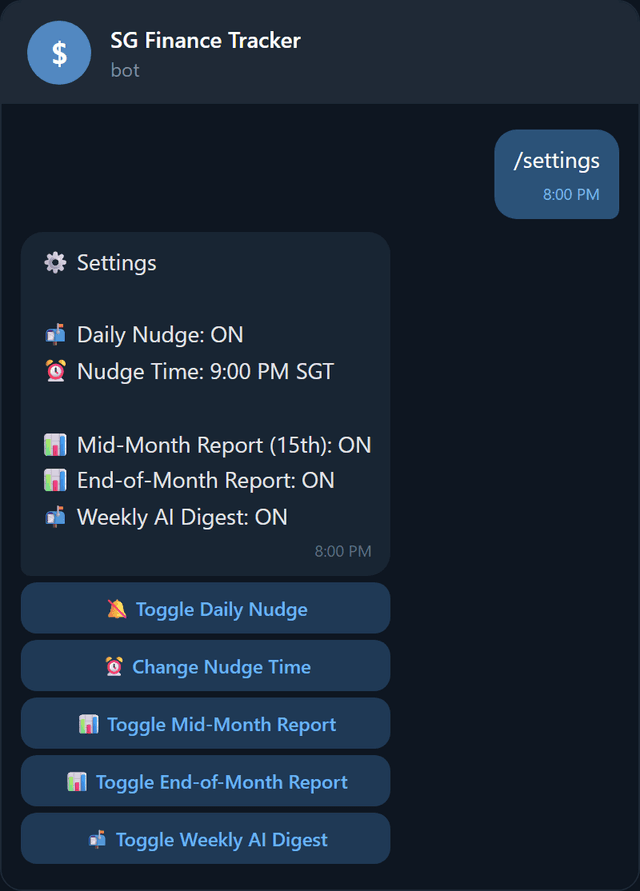
Use /settings to enable or disable automatic mid-month and end-of-month reports.
Daily Nudges
A gentle daily reminder of your spending.
Send /nudge or /settings to configure daily spending nudges — a gentle reminder of how much you've spent today.
Settings
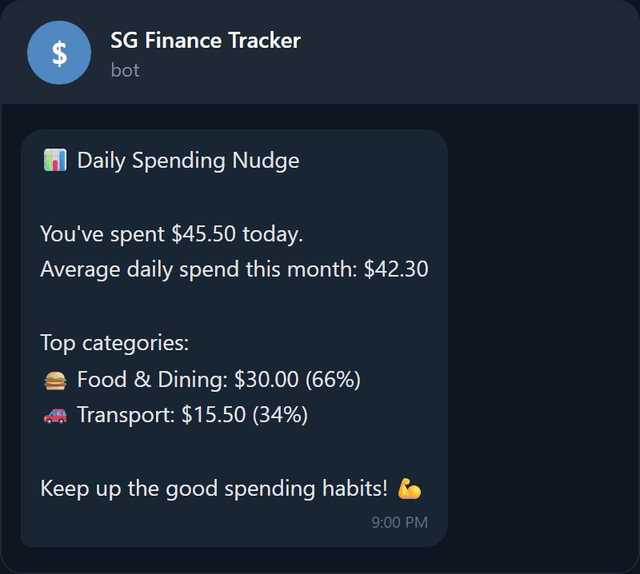
Sample nudge
Available nudge times (SGT)
Weekly AI Digest Plus & Pro
AI-powered weekly spending insights, delivered Monday.
Every Monday at 6 PM SGT, the bot sends an AI-generated summary of your week's spending. It compares this week to the previous week, flags categories that increased significantly, and gives you one actionable tip to save money.
What's included
- Week-over-week spending comparison
- Categories that spiked >50% from last week
- New spending categories not seen the previous week
- Unusually large single-day spending
- One personalized money-saving tip
Toggle the digest on or off in /settings → Toggle Weekly AI Digest.